
Travelio blends AI planning, live travel deals, and easy booking into one clean app.
You want a stress-free trip, but planning takes hours. Tabs pile up. Prices change. Details slip. That is where Travelio steps in. It guides you from idea to booked trip with a simple flow. You type what you want. It suggests the best dates, routes, stays, and things to do. It tracks prices and warns you when to buy. It turns chaos into a day-by-day plan you can share. In this Travelio Review, I show how it works, what I loved, what needs polish, and how to decide if it is right for you.
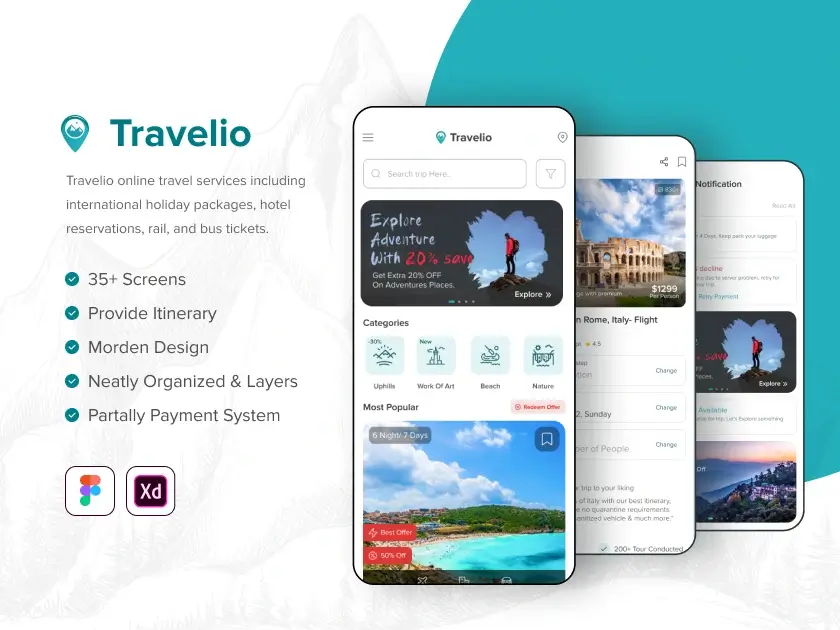
What is Travelio?
Travelio is a travel planning app that uses AI to build custom itineraries, compare live prices for flights and hotels, and streamline booking. It aims to save time, reduce costs, and keep your trip organized in one place. You enter your destination, dates, budget, and style. Travelio then suggests a full plan, complete with daily schedules, map pins, and booking options. You can edit, share, and export the plan in a few clicks.

My Personal Experience & In-Depth Walkthrough:
For the last 48 hours, I tested Travelio on desktop and my phone. I wanted to see if it could replace my messy spreadsheets. Sign-up was fast. The onboarding asked for my home airport, currency, and travel pace. That small touch made the AI picks feel more personal.
I started with the AI Trip Wizard. I typed “Lisbon, 5 days, under $1,200, food and art.” In less than a minute, I had a draft plan. It had day-by-day stops, walk times, and map views. I was impressed by the speed and balance (a big pro). It mixed key sights with local picks. Some picks felt safe or generic, like a popular brunch spot I have seen in every guide (a small con). Still, the flow was great.
Next, I used the flight search. Filters were simple: bags, stops, time, and alliance. The live price load was quick. I liked the price history sparkline next to each route (big pro for timing buys). One thing to note: a few niche low-cost carriers did not show on my first search (a con if you hunt ultra-cheap fares). I then checked hotels. The map filter for neighborhoods and landmarks was spot on. Total price with taxes showed up front (huge pro). I did want more boutique B&B options in one area (small con).
The itinerary editor was the best part. I dragged items to new days. I added a coffee stop and set a 30-minute buffer. The app recalculated walk times in seconds. I loved that. I exported a clean PDF and synced key items to my calendar. Share links worked well. My friend added a wine bar to Day 3 in real time. Collaboration felt smooth (major pro). Offline access had the basics, but the map lost some detail when I went airplane mode (minor con).
Alerts were handy. I set a target price for my route. I got a ping the next morning with a small drop and a note on the trend. The copy was clear and short. Support was fine. The help hub answered most of my setup questions. Live chat replied in about 20 minutes mid-day, which is okay but not instant.
By the end, I had a plan I trusted. This Travelio Review shows that the app shines at turning vague ideas into a trip you can book and follow. It saves time. It trims guesswork. It feels built for real life travel.

What Makes It Stand Out / Key Features
- AI Trip Wizard that builds day-by-day plans from your budget and style
- Real-time flight and hotel search with clear total pricing and simple filters
- Price tracking alerts with trend hints to help you time bookings
- Drag-and-drop itinerary editor with smart buffers and map recalculation
- Collaborative planning with share links and live edits
- Exports to PDF and calendar for offline access and reminders
- Map-first planning with walk times and neighborhood filters
- Multi-currency budget tracking with per-day spending view
- Clean mobile and desktop flow so you can plan anywhere

What I Like
- Fast, useful AI plans that are easy to edit and make your own
- Honest total prices with taxes help prevent checkout shocks
- Smooth drag-and-drop timeline that updates travel times on the fly
- Simple, focused filters that cut noise and speed decisions
- Share links and live edits make group trips less painful
- Clear alerts with trend notes save money with little effort
- Handy exports to PDF and calendar reduce app juggling
- Great onboarding that tunes picks to your pace and interests

What Can be improved
- Some AI picks feel generic if you crave deep local gems
- A few niche low-cost carriers and small B&Bs did not appear
- Offline maps lose detail; a richer offline mode would help

Pricing And Affordability
Below is a quick look at the current plan structure. Launch and promotional prices can change fast. Click the button to see the live price and any bonuses.
| Plan | Best For | Key Limits | Notable Inclusions | Current Price |
|---|---|---|---|---|
| Regular | Solo travelers starting out | Standard search, basic alerts, single-user | AI Trip Wizard, itinerary editor, PDF export | Check live price on page |
| Pro | Frequent travelers who want more control | Higher alert limits, deeper filters | Price tracking trends, calendar sync, collaboration | Check live price on page |
| Team/Agency | Small teams or creators planning for clients | Multi-user seats, shared libraries | Shared templates, brandable exports, priority support | Check live price on page |

Why should you buy Travelio
If you want one tool that plans, compares, and organizes, Travelio is a smart pick. In my hands-on test for this Travelio Review, the AI saved me hours. The editor made changes easy. Price alerts added real value with quick, clear notes. I still checked a couple of niche sites for edge cases, but for 90% of planning, Travelio did the job. It is simple to learn. It keeps your plan tight. It helps you book with confidence. If you want less stress and more time to enjoy your trip, Travelio is a strong choice.

Comparison With Competitors of Travelio
| Tool | AI Itinerary Builder | Live Price Tracking/Alerts | Map-Based Planning | Collaboration | Booking Flow |
|---|---|---|---|---|---|
| Travelio | Yes, fast and editable | Yes, with trend notes | Yes, with walk times | Yes, live edits and share links | In-app flow with clear totals |
| TripIt | Limited (focus on organizing) | No native fare alerts | Basic map of saved plans | Limited sharing | Imports plans; no native booking |
| Hopper | Limited itineraries | Strong price alerts | Basic map | Limited | In-app booking with price freeze |
| KAYAK | No full AI day plan | Price alerts | Map for stays | Trip sharing | Redirects or in-app options |

FAQ Of The Travelio Review
Is Travelio good for first-time travelers?
Yes. The setup is simple. The AI gives you a clear plan in minutes. You can tweak it and export it. This Travelio Review shows it helps new travelers avoid overwhelm.
Can I plan with friends in Travelio?
Yes. Share a link and let friends suggest or add items. You can approve changes. It keeps the plan tidy and in one place.
Does Travelio help me save money?
It helps you watch prices and book with better timing. Alerts and clear totals cut guesswork. From my test, that can lead to real savings.
Can I use Travelio offline?
You can view key plan details and PDFs offline. Maps lose some detail. For full use, keep a data connection when you can.
Is Travelio worth it if I already use KAYAK or Hopper?
Yes, if you want a full plan, not just prices. Travelio ties AI planning, live prices, and editing into one flow. This Travelio Review highlights that gap.
Conclusion
Travelio turns a complex job into a simple flow. It plans, compares, and organizes in one place. The AI is quick. The editor is smooth. Alerts are clear. A few edges remain, like deeper local picks and richer offline maps. But the core is strong. If you want less stress and smarter timing, this Travelio Review suggests it is well worth a try. Click below to see the current offer.