
ColorReel Studio Review: Quick Verdict
ColorReel Studio is built for self-published authors who need more than a static book cover to promote their work. It aims to turn real book pages into short videos for TikTok, Instagram Reels, YouTube Shorts, and Pinterest. Instead of asking authors to film page flips or build every animation manually, the product provides a Claude skill and a guided workflow for creating promotional clips from a book cover and interior PDF.
This is not a conventional standalone video editor. The vendor describes ColorReel Studio as a downloadable skill ZIP that users attach to a Claude chat together with their book files. They then describe the video they want in plain language. The product is most relevant to coloring books, puzzles, activity books, picture books, and other illustrated publications. Text-only authors may get less value.
The advertised front-end price is $17 one time, with a REEL7 code promoted for $7 off. The vendor also displays a 30-day money-back guarantee and claims commercial, client-work, resell, and private-label rights. Our review is based on the vendor’s published information, not a claim that we independently tested every feature. The practical question is whether this file-based Claude workflow fits your publishing and marketing routine.
What Is ColorReel Studio?
ColorReel Studio is a book-to-video content workflow from the product’s vendor. You supply a book cover and interior pages, then use Claude to create short promotional videos that show those actual pages. The idea is simple: a potential buyer can see the kind of content inside the book before clicking through to a listing.
A coloring-book author might create a clip in which a line-art page appears to fill with color. A puzzle publisher could show a maze with a countdown. A picture-book creator could preview a few spreads and end with a story question. These examples illustrate why the product focuses on illustrated books rather than general-purpose video production.
The sales page says the skill works inside Claude and does not require a separate software installation. That makes the setup different from a subscription video platform with its own dashboard and timeline. You need a Claude account, the downloaded skill file, and suitable book files. Claude’s available features and usage limits remain part of the experience.
How Does the Workflow Work?
The process begins with the files used to publish the book. The vendor asks for a cover, either a KDP full-wrap PDF or a front-cover image, and an interior PDF. Its book-preparation tool is described as cropping the cover, skipping blank pages, and preparing line-art pages for the coloring effect. Individual page images may also be used, according to the FAQ.
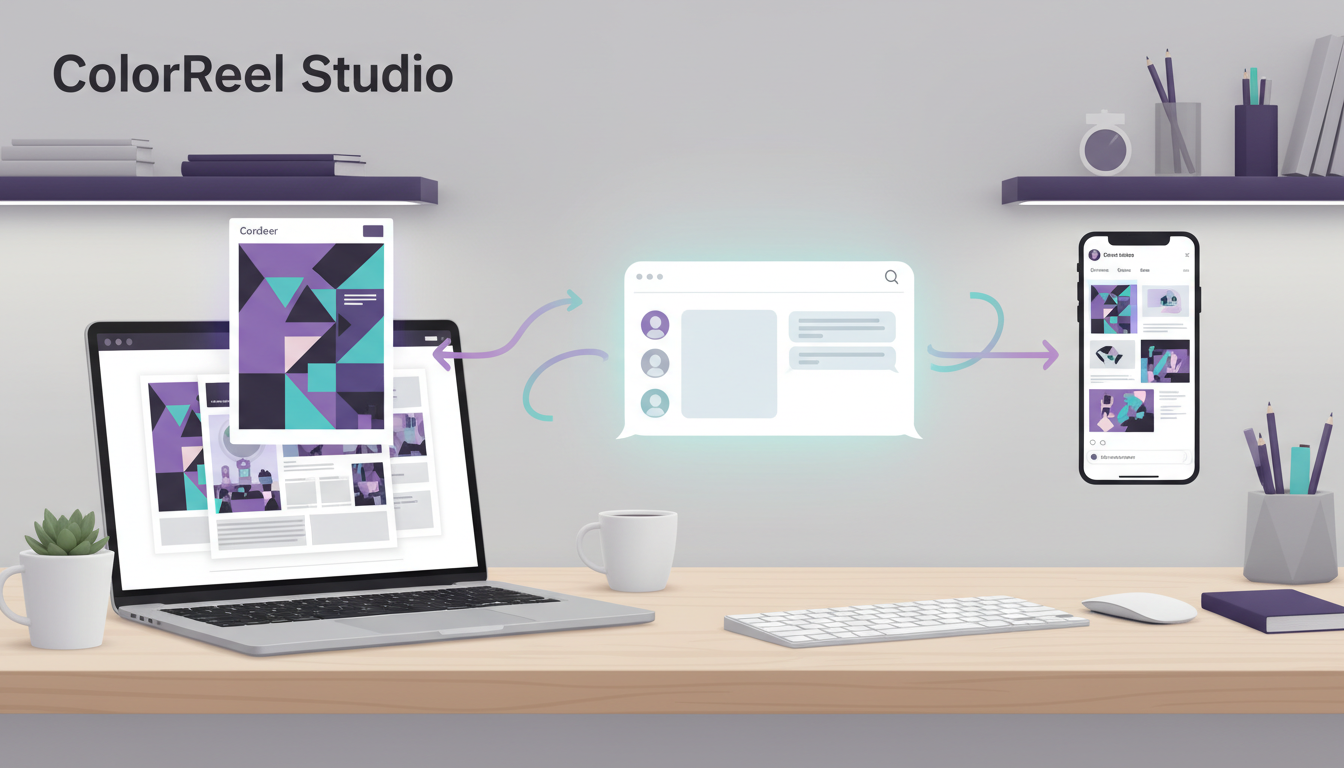
Next, attach the ColorReel Studio ZIP and your book files to a Claude conversation. Give an instruction describing the video, the page to feature, the platform, approximate length, and any voice or music preferences. The sales page’s example asks for a 15-second Color-Along for TikTok using a selected page and a link-in-bio ending. It says users can request revisions in everyday language.
After generation, review the MP4 and use the accompanying publishing kit. The vendor lists a 1080 × 1920 vertical video, TikTok caption and pinned comment, Reels caption, Shorts title, and Pinterest title, description, and link. This can save preparation time, but it does not remove the need to proofread captions, check the video, and adapt each post to its platform.
The vendor says the workflow can run with a free Claude account. It also notes that paid Claude plans provide higher usage limits and may be more convenient for larger batches. Therefore, the $17 product price should not be interpreted as unlimited AI processing. Check your current Claude plan limits if you expect to produce many videos.
The Six Video Formats
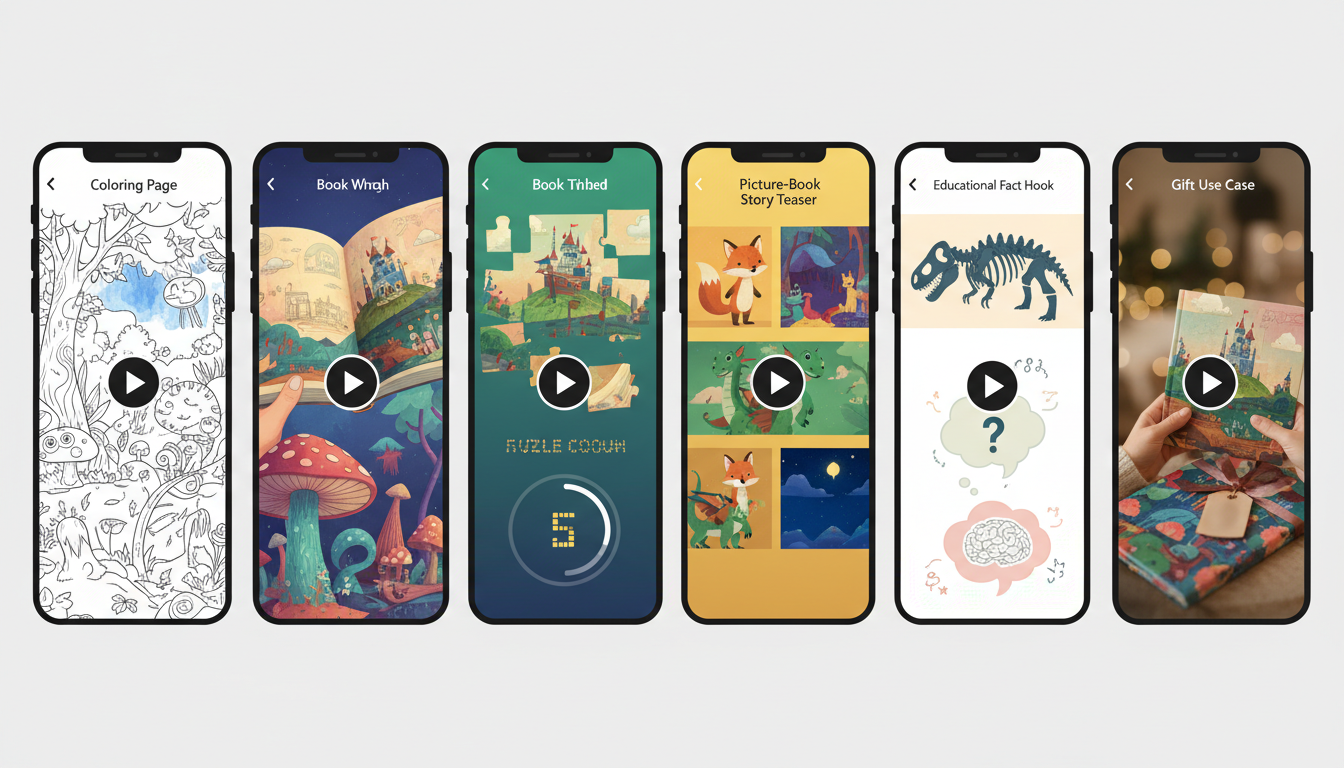
A major selling point is the choice of six video concepts. Each is intended for a different kind of book or marketing angle, so authors can show the same title in more than one way instead of repeating one template.
1. Color-Along
Designed for coloring books, this format shows a line-art page filling with color, often with a crayon-like animation. The vendor suggests 12–20 seconds. It can give viewers a satisfying preview of the illustrations and is likely the clearest match for children’s or adult coloring books.
2. Flip-Through
This format opens the book and shows three to six interior pages with short labels. The suggested length is 8–15 seconds. It may be the most flexible option because it can preview coloring books, activity books, journals, planners, and many other illustrated interiors.
3. Fact Hook
Fact Hook is intended for children’s nonfiction and educational books. It begins with a surprising fact and connects it to a relevant page, with a suggested duration of 15–30 seconds. Authors should independently verify facts, especially in science, health, history, or other accuracy-sensitive subjects.
4. Solve-It
Solve-It turns a maze, riddle, or activity into a short challenge with a countdown and an invitation to comment with the answer. The suggested duration is 10–20 seconds. It may suit puzzle books, word searches, and spot-the-difference activities.
5. Story Teaser
For picture books and illustrated stories, Story Teaser uses real spreads, gentle movement, a brief premise, and a question or cliffhanger before showing the cover. The vendor suggests 15–30 seconds. It can communicate mood without trying to summarize the entire story.
6. Gift & Use-Case
This format presents a book as a solution for a specific moment, such as a rainy day, a birthday, or a holiday gift. The suggested duration is 8–15 seconds. It works best when the scenario genuinely matches the book and its likely buyer.
What Is Included?
The sales page also lists word-by-word captions, optional AI voiceover, original music, and sound effects. These can make a short clip more accessible to sound-off viewers while adding a finished feel. However, automatically generated audio and captions should always be checked for pronunciation, timing, spelling, and suitability for the intended audience.
A post kit is listed for every video, including captions, hashtags, a pinned comment, titles, and Pinterest copy. The Quickstart Guide reportedly contains setup instructions, 25 copy-and-paste prompts, a posting playbook, and a 30-day plan for one book. These resources could help authors move from one test video to a more consistent schedule.
Pricing, Discount Codes, and Guarantee
At the time of this review, the main offer is displayed at $17 as a one-time payment. The sales page promotes code REEL7 for $7 off, bringing the advertised price to $10 if the code is accepted at checkout. Confirm the final order total before paying because promotional codes and launch pricing can change.
The page also promotes a five-product bundle for $67 with code REEL20. It lists ColorReel Studio, ColorReel Pro, ColorReel Agency Kit, ColorReel Starter Prompts, and ColorReel Idea Vault. The additional products are described as adding batch-video workflows, longer videos, listing mockups, agency resources, and large prompt collections. Compare the bundle contents with your needs rather than buying more tools by default.
A 30-day money-back guarantee is displayed. The vendor says buyers can request a refund within 30 days if the product is not suitable. Read the checkout terms and refund instructions, keep your receipt, and use the official support route if you need help. A guarantee is reassuring, but it does not replace checking compatibility and license details.
Commercial, Client, Resell, and Private Label Rights
The sales page makes broad license claims. It says buyers may use ColorReel Studio personally and commercially, create videos for clients, resell the skill, and rebrand or edit the skill and guide under private-label rights. It also says the product may be bundled or given away as a bonus. These claims could interest freelancers, KDP service providers, and digital product sellers.
There is an important qualification: the vendor says users must not present the product as an official Anthropic, Claude, Amazon, or KDP product. Before reselling, editing, or redistributing anything, read the full license supplied with the purchase. Check what it says about source files, redistribution, trademarks, support, modifications, and permitted use. A sales-page summary is not a substitute for the actual license terms.
Who Should Buy ColorReel Studio?

The clearest audience is KDP publishers with visually rich interiors. Coloring-book creators can demonstrate a page being colored; puzzle authors can invite viewers to solve a challenge; picture-book publishers can preview spreads; and activity-book sellers can show the variety of exercises inside. Journals and planners with designed pages may also benefit from a quick flip-through.
Freelancers who already serve authors may find another service to offer. A designer, formatter, or marketing assistant could use the formats as a starting point for client video packages. Still, client work requires careful quality control, clear permission to use client files, and realistic delivery promises. The tool does not replace marketing judgment or client communication.
It is a weaker fit for text-only novels, dense reference books, or users who want detailed manual control over every frame. The vendor itself says the formats shine with illustrated, puzzle, and activity pages. If your book contains mostly text, a standard book-trailer template or conventional editor may be a better choice.
Pros and Cons
Pros
- Uses real book pages rather than relying only on generic stock visuals.
- Offers six distinct video concepts for illustrated-book categories.
- Advertised as a one-time $17 purchase, with a discount code listed.
- Includes captions, optional voice, music, and social post copy.
- Vendor advertises commercial, client, resell, and private-label rights.
- A 30-day money-back guarantee is displayed on the sales page.
Cons
- Requires Claude; it is not a standalone editing application.
- Users must prepare and upload suitable book files.
- Claude usage limits can affect larger production batches.
- Text-only books are not the strongest use case.
- The complete license should be checked before resale or white-label use.
- Videos cannot guarantee reach, traffic, or book sales.
Limitations to Consider Before Purchasing
First, understand the Claude dependency. You are not buying a separate editor with a built-in timeline. The workflow depends on attaching a ZIP file and your book documents to a Claude chat. That may feel convenient to users who already work with Claude, but less familiar to creators who prefer a dedicated app with direct controls over transitions, audio tracks, and frame timing.
Second, source-file quality matters. Poor scans, unusual page sizes, low-resolution artwork, or complicated cover layouts may affect the result. Keep original files, use pages you have permission to promote, and inspect every frame to make sure the output represents the book accurately. Never assume that a generated video is automatically ready for an advertisement.
Finally, content production is not the same as distribution. Posting more videos does not guarantee more views or sales. Performance depends on the book, cover, listing, audience, price, creative quality, consistency, and platform algorithms. Treat ColorReel Studio as a content-production aid, not a traffic system or income guarantee.
Alternatives and Related Resources
If your biggest challenge is publishing quality rather than video creation, focus first on the book’s interior, cover, metadata, keywords, and listing description. You can also read our AuthorVault review for author resources, the Brain Game Prints review for printable puzzle content, and our ClaudHub review for another Claude-related workflow.
Is ColorReel Studio Worth It?
ColorReel Studio has a clear purpose: help illustrated-book publishers turn their actual pages into short promotional videos. The six formats, file-preparation workflow, captions, optional voice, music, and post kit make the offer more complete than a simple list of prompts. Its strongest feature is the focus on showing what is inside a book rather than using generic promotional visuals.
The main reason to consider it is fit. If you publish coloring books, puzzles, activity books, or picture books and already use Claude, the advertised $17 one-time price—or $10 with REEL7 if still accepted—may be a manageable way to test a book-focused video workflow. The commercial and resell claims may also appeal to service providers, subject to the full license.
The reasons to pause are equally important. It is not a standalone editor, it relies on Claude’s capabilities and usage limits, and its best results appear tied to illustrated pages. It cannot promise reach, clicks, or purchases. Buyers should inspect outputs carefully and verify the written license before offering services or reselling the files.
Our verdict: ColorReel Studio is worth considering for KDP creators with visually rich books who want a repeatable way to create short promotional videos. It is not essential for every author, and it is not a shortcut to guaranteed sales. Text-only publishers and users who want detailed timeline editing should compare alternatives first.
Frequently Asked Questions
Is ColorReel Studio a standalone app?
No. The sales page describes a skill ZIP that users attach to a Claude chat with their book files. It is not presented as a separate browser-based video editor.
Can beginners use it?
The vendor says users can describe the desired video in plain language without coding or video-editing skills. Beginners should still follow the guide and review every generated clip before publishing.
Does it work with a free Claude account?
The product page says yes. It also notes that paid Claude plans offer higher usage limits, which may help when creating larger batches.
What types of books work best?
Coloring books, puzzles, activity books, children’s nonfiction, picture books, and journals or planners with designed pages are the main use cases. Text-only fiction is not the strongest fit.
How much does ColorReel Studio cost?
The sales page lists $17 one time and advertises REEL7 for $7 off. It also lists a five-product bundle for $67 with REEL20. Check checkout for current prices and code availability.
Can I use it for client work or resell it?
The vendor says the license includes client work, commercial use, resell, and private-label rights. Read the complete license before offering services, modifying the files, or redistributing the product.
Does it guarantee book sales?
No. The vendor says sales depend on the book, listing, and consistent posting. A video workflow can help create content, but it cannot guarantee views, clicks, or purchases.
Final Recommendation
If you publish illustrated books on KDP and want a practical way to turn real pages into short social videos, ColorReel Studio has a focused use case worth exploring. Confirm Claude compatibility, check the live price, read the full license, and test the workflow with one book before planning a large campaign. Visit the official ColorReel Studio sales page for the latest product details.
Affiliate Disclosure: This article contains an affiliate link. If you purchase through our link, we may earn a commission at no additional cost to you. This review is based on information published by the vendor; we have not independently verified every advertised feature or license term.